TOTP Algorithm#
I was using Microsoft Authenticator app and got surprised that it was working offline! At this moment, I got curious how time-based OTP works and later found out that the same algorithm works for other authenticator apps such as Google Authenticator and Duo Mobile and more.
Learning the algorithm with Node.js and JavaScript requires you to have at least prior knowledge on the following: Base 32 encoding, Binary Numbers, Bitwise Operators and Node.js Buffer.
Quickstart#
What is TOTP?
Time-based one-time password (TOTP) is a computer algorithm that generates a one-time password (OTP) using the current time as a source of uniqueness. As an extension of the HMAC-based one-time password algorithm (HOTP), it has been adopted as Internet Engineering Task Force (IETF) standard RFC 6238. 1
Below is a code snippet that follows the RFC 6238 standard. 2
1 2 3 4 5 6 7 8 9 10 11 12 13 14 15 16 17 18 19 20 21 22 23 24 25 26 27 28 29 30 31 32 33 34 35 36 37 38 39 40 41 42 43 44 45 46 47 48 49 50 51 52 53 54 55 56 57 58 59 60 61 | |
1 2 3 4 5 6 7 8 9 10 11 12 13 14 15 16 17 18 19 20 21 22 23 24 25 26 27 28 29 30 31 32 33 34 35 36 37 38 39 40 41 42 43 44 45 46 47 48 49 50 51 52 53 54 55 56 57 58 59 60 61 62 63 64 65 66 67 68 69 70 71 72 73 74 75 | |
Breakdown#
The following content describes the steps as provided from above snippet.
Given shared key (Base 32 encoded): 12345678901234567890
| Format | Value |
|---|---|
| Buffer | <Buffer 31 32 33 34 35 36 37 38 39 30 31 32 33 34 35 36 37 38 39 30> |
| Uint8Array | [ 49, 50, 51, 52, 53, 54, 55, 56, 57, 48, 49, 50, 51, 52, 53, 54, 55, 56, 57, 48] |
Note
Uint8Array is the closest equivalent for Buffer when dealing with binary data.
Step 1: Convert "key" to binary representation#
22 | |
Output: <Buffer 31 32 33 34 35 36 37 38 39 30 31 32 33 34 35 36 37 38 39 30>
16 17 18 19 | |
Output: Uint8Array(20) [ 49, 50, 51, 52, 53, 54, 55, 56, 57, 48, 49, 50, 51, 52, 53, 54, 55, 56, 57, 48]
Step 2: Calculate time#
The default timeStep is 30 seconds.
This is the duration on how our OTP would last.
// Step 2: Calculate how many "30-seconds" intervals have passed since the Unix epoch began.
const time = Math.floor(Date.now() / (timeStep * 1000));
Tip
For testing purposes, we need to freeze time
// const time = Math.floor(Date.now() / (timeStep * 1000));
const time = Math.floor(59 / timeStep)
Equivalent: 1970-01-01 00:00:59
Only "1" 30-sec interval has passed. Hence, time = 1
Output: time = 1
Step 3: Create counter#
We must allocate 8-bytes for the counter (moving factor). (RFC 4226) 3
27 28 | |
Output for counterBin
<Buffer 00 00 00 00 00 00 00 00>
24 25 | |
Output for counterBin
ArrayBuffer {
  [Uint8Contents]: <00 00 00 00 00 00 00 00>,
  byteLength: 8
}
Step 4: Write "time" into "counterBin" as BigInt#
30 31 | |
Output for counterBin
<Buffer 00 00 00 00 00 00 00 01>
27 28 | |
Output for counterBin
ArrayBuffer {
  [Uint8Contents]: <00 00 00 00 00 00 00 01>,
  byteLength: 8
}
Notice that there is the 1 added
Step 5-6: Crypto HMAC#
33 34 35 36 37 | |
30 31 32 33 34 35 36 37 38 39 40 41 42 43 44 45 46 47 48 49 50 51 | |
Warning
This would only work in browsers since we are using window.crypto.subtle
Step 7: Get hash from HMAC#
39 40 | |
Outputs a 20-bytes hash with 'sha1' algorithm:
<Buffer 75 a4 8a 19 d4 cb e1 00 64 4e 8a c1 39 7e ea 74 7a 2d 33 ab>
53 54 | |
Outputs a 20-bytes hash with 'sha-1' algorithm:
Uint8Array(20) [117, 164, 138, 25, 212, 203, 225, 0, 100, 78, 138, 193, 57, 126, 234, 116, 122, 45, 51, 171]
HMAC Results (hash)#
Equivalent between Uint8Array and Buffer
The values within Uint8Array is the equivalent to Buffer when each items are converted to hexadecimal.
The values within Buffer is the equivalent to Uint8Array when each items are convert to decimal
| Format | Value |
|---|---|
| Buffer | <Buffer 75 a4 8a 19 d4 cb e1 00 64 4e 8a c1 39 7e ea 74 7a 2d 33 ab> |
| Uint8Array | [117, 164, 138, 25, 212, 203, 225, 0, 100, 78, 138, 193, 57, 126, 234, 116, 122, 45, 51, 171] |
Info
Beyond this point, we will focus on the Buffer hash output.
The algorithm beyond Step 7 are equally the same between JavaScript/Browser/Node.js
Step 8: Calculate offset from last 4-bit#
Warning
Beyond this point, you should have prior knowledge about binary numbers and bitwise operators
// Step 8: Calculate offset by getting the last byte and last 4-bit
const offset = hash[hash.length - 1] & 0x0f;
<Buffer 75 a4 8a 19 d4 cb e1 00 64 4e 8a c1 39 7e ea 74 7a 2d 33 ab>
The last byte is 0xab. One byte consists of 8 bits.
| Hex | Binary | Decimal |
|---|---|---|
| 0xab | 1010 1011 | 171 |
| 0x0f | 0000 1111 | 15 |
We only need the last 4 bits to calculate the offset, hence, 0000 1111 = 0x0f
To get the last 4 bits, we will use the & bitwise operator. Below is a refresher:
console.log((0xab).toString(2).padStart(8, '0')); // 10101011
console.log((0x0f).toString(2).padStart(8, '0')); // 00001111
console.log((0xab).toString(10)); // 171
console.log((0x0f).toString(10)); //  15
console.log(171 & 15); // 11
console.log(0xab & 0x0f); // 11
| 171 | 15 | 171 & 15 |
|---|---|---|
| 1 | 0 | 0 |
| 0 | 0 | 0 |
| 1 | 0 | 0 |
| 0 | 0 | 0 |
| 1 | 1 | 1 |
| 0 | 1 | 0 |
| 1 | 1 | 1 |
| 1 | 1 | 1 |
1 × 23 + 1 × 21 + 1 × 20 = 11
console.log(0b1011); // 11
const offset = hash[hash.length - 1] & 0x0f; // 11
Step 9: Identify the 4 bytes#
<Buffer 75 a4 8a 19 d4 cb e1 00 64 4e 8a c1 39 7e ea 74 7a 2d 33 ab>
Let us identify the four 1-byte from offset = 11
// Step 9: Identify the four 1-byte from the offset and perform bitmask (bitwise operation using "&")
let byte1 = hash[offset + 0] & 0x7f; // applying a bitmask to ensure only the lower 7 bits are (01111111) considered
let byte2 = hash[offset + 1] & 0xff; // applying a bitmask to ensure all 8 bits are considered (11111111)
let byte3 = hash[offset + 2] & 0xff;
let byte4 = hash[offset + 3] & 0xff;
hash[11].toString(16); // c1
hash[12].toString(16); // 39
hash[13].toString(16); // 7e
hash[14].toString(16); // ea

// Pick only the lower 7 bits for the first offset (01111111 = 0x7f)
console.log((0xc1 & 0x7f).toString(2).padStart(8, '0')); // 01000001
console.log((0x39 & 0xff).toString(2).padStart(8, '0')); // 00111001
console.log((0x7e & 0xff).toString(2).padStart(8, '0')); // 01111110
console.log((0xea & 0xff).toString(2).padStart(8, '0')); // 11101010
Spoiler Tip
Since they are already string, we can just concatenate all four bytes
01000001 + 00111001 + 01111110 + 11101010 to form the same output for Step 11
Or we can do it in the binary approach (Step 10-11).
Step 10: Align the bytes#
We need to use the << bitwise operator to shift and align the binaries.
// Step 10: Align the four 1-byte so that they won't collide when we merge them
byte1 <<= 24;
byte2 <<= 16;
byte3 <<= 8;
// byte4 is already placed in the correct position
Below is a visual representation on byte1 ... byte4 should be placed.
Before shift
                           01000001
                           00111001
                           01111110
                           11101010
After shift
01000001 00000000 00000000 00000000
         00111001 00000000 00000000
                  01111110 00000000
                           11101010
Step 11: Merge all the bytes#
To merge the bytes, we'll perform the | bitwise operator.
// Step 11: Merge all bytes forming a binary of 32-bits or 4-bytes
const bytes = byte1 | byte2 | byte3 | byte4; // This is also the decimal in which TOTP is sliced
After merged
01000001 00111001 01111110 11101010
Disclaimer
This is only a visual representation to easily explain and understand the process. There's actually NO spaces in between bytes, and there are NO zeroes at the left-side.
Decimal output#
console.log(0b01000001001110010111111011101010); // 1094287082
console.log(bytes); // 1094287082
Output: 1094287082
Step 12: Get TOTP#
We would just slice the decimal output 1094287082 to get TOTP.
// digits = 6
return (bytes % Math.pow(10, digits)).toString().padStart(digits, '0');
// Output: 287082 (if digits is 6)
// Output: 94287082 (if digits is 8)
We now have our TOTP:
- 6-digit
287 082. - 8-digit
9428 7082
Test Vectors#
Reference: https://datatracker.ietf.org/doc/html/rfc6238#appendix-B
| Shared Key | Algorithm | Size |
|---|---|---|
| 12345678901234567890 | SHA1 | 20 bytes |
| 12345678901234567890123456789012 | SHA256 | 32 bytes |
| 1234567890123456789012345678901234567890123456789012345678901234 | SHA512 | 64 bytes |
| Time (sec) | UTC Time | Value of T (hex) | TOTP | Mode |
|---|---|---|---|---|
| 59 | 1970-01-01 | 0000000000000001 | 94287082 | SHA1 |
| 00:00:59 | ||||
| 59 | 1970-01-01 | 0000000000000001 | 46119246 | SHA256 |
| 00:00:59 | ||||
| 59 | 1970-01-01 | 0000000000000001 | 90693936 | SHA512 |
| 00:00:59 | ||||
| 1111111109 | 2005-03-18 | 00000000023523EC | 07081804 | SHA1 |
| 01:58:29 | ||||
| 1111111109 | 2005-03-18 | 00000000023523EC | 68084774 | SHA256 |
| 01:58:29 | ||||
| 1111111109 | 2005-03-18 | 00000000023523EC | 25091201 | SHA512 |
| 01:58:29 | ||||
| 1111111111 | 2005-03-18 | 00000000023523ED | 14050471 | SHA1 |
| 01:58:31 | ||||
| 1111111111 | 2005-03-18 | 00000000023523ED | 67062674 | SHA256 |
| 01:58:31 | ||||
| 1111111111 | 2005-03-18 | 00000000023523ED | 99943326 | SHA512 |
| 01:58:31 | ||||
| 1234567890 | 2009-02-13 | 000000000273EF07 | 89005924 | SHA1 |
| 23:31:30 | ||||
| 1234567890 | 2009-02-13 | 000000000273EF07 | 91819424 | SHA256 |
| 23:31:30 | ||||
| 1234567890 | 2009-02-13 | 000000000273EF07 | 93441116 | SHA512 |
| 23:31:30 | ||||
| 2000000000 | 2033-05-18 | 0000000003F940AA | 69279037 | SHA1 |
| 03:33:20 | ||||
| 2000000000 | 2033-05-18 | 0000000003F940AA | 90698825 | SHA256 |
| 03:33:20 | ||||
| 2000000000 | 2033-05-18 | 0000000003F940AA | 38618901 | SHA512 |
| 03:33:20 | ||||
| 20000000000 | 2603-10-11 | 0000000027BC86AA | 65353130 | SHA1 |
| 11:33:20 | ||||
| 20000000000 | 2603-10-11 | 0000000027BC86AA | 77737706 | SHA256 |
| 11:33:20 | ||||
| 20000000000 | 2603-10-11 | 0000000027BC86AA | 47863826 | SHA512 |
| 11:33:20 |
Live Demo#
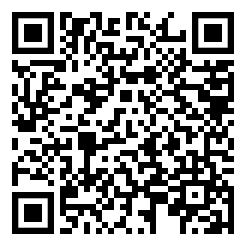
Scan this QR code using your favorite authenticator app (i.e. Microsoft Authenticator, Google Authenticator, Duo Mobile) and watch it matches the correct TOTP below:
Conclusion#
🔥 With my burning curiosity to discover on how the TOTP algorithm works,
it pushed me to learn more about binary numbers, bitwise operations,
cryptography (i.e. hmac / sha1 / sha256 / sha512), and base 32 encoding/decoding.
Since it is actually an algorithm that is time-based, hence, it works offline! And I know have a better understanding that Authenticator apps have the same algorithm as it follows the RFC 6238.